

How to Fix Google Chrome Problem with Second Screen Mouse Pointer Offset and Addons Issues
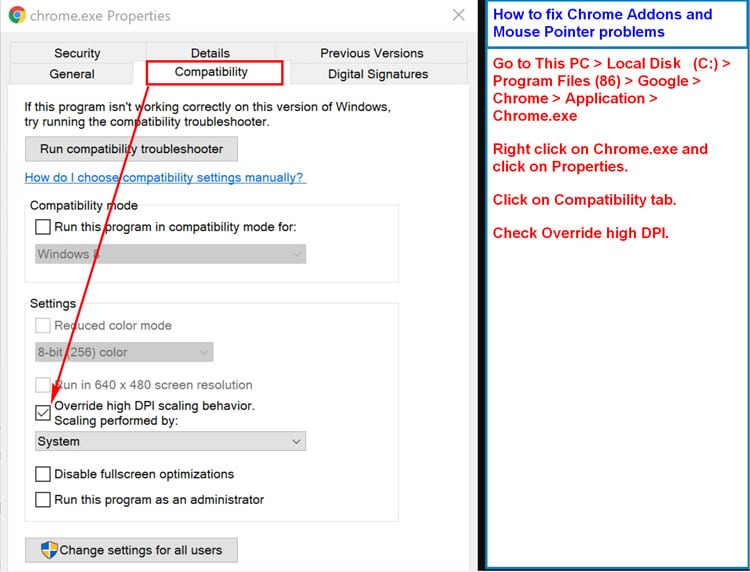
Google Chrome has some hinky issues with handling 2nd screen monitors and addon issues with mouse clicks not lining up. There are also issues with extension icons not working for multiple monitor setup.
You’ll read recommendations about disabling the hardware accelerator. Before you go there. Try this solution.
From your Start Menu, select “This PC” and then follow the rest of these instructions.
 …
…  Having to work with technology for a living, I am at the point where I find enough of it so disturbing that I’m about ready to throw out my computer and buy a flip phone.
 There is much about the internet that makes our lives easier. (The jury’s still out on whether it has actually made our lives better.) But, with each development that supposedly helps us make more informed choices–i.e. Amazon Reviews (or any reviews for that matter)–someone has to come along and ruin the party by scamming the system.
 Are you on Verizon Wireless and are having a problem with making Wi-Fi calls? In other words, you’re getting this: “Welcome to Verizon Wireless. Sorry, the number you dialed does not accept calls over Wi-Fi or from certain devices?”
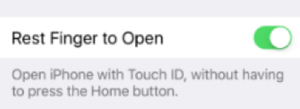 Don’t you wish that sometimes companies would just leave well enough alone? I mean, Apple–really…? Don’t even get me started on why you never thought it would be useful to have a Backspace button.