Filter posts by category

Tech Tips & Product Reviews

I’m Breaking up with Microsoft and Google

woman jumping for joy breaking free of digial monopoliesI don’t know about you, but I’ve had it with ever-rising, never-ending subscription costs by digital monopolies, invasion of personal privacy, and now hijacking of my content for AI training.

So I started making changes. I moved from Microsoft Office to LibreOffice (FREE). From OneNote to Joplin (FREE). From OneDrive, Google Docs, and Dropbox to pCloud Drive (FREE, with an option for a lifetime purchase if you need more storage). And, last but not least, I moved from Gmail … Read More
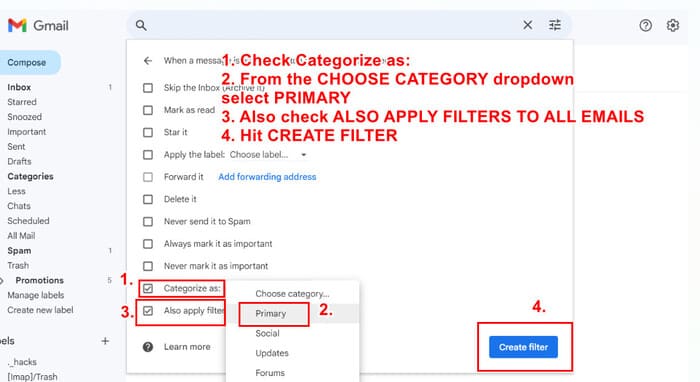
How to Stop Gmail from Marking Emails as Updates – Set Up This Filter

One of the most popular posts here is How to Disable and Remove Important Labels in Gmail.  Seems lots of people are being driven crazy by Google’s overzealous and unwanted “helpfulness.” Case in point, I recently had a reader leave this question on that post:

Do you have a similar workaround for Updates in Gmail? I have unchecked the category in settings, but items are still going there. Also, we have thousands of emails in Updates folder but I don’t

Read More

Amazon Prime? You’re Probably Getting Charged for Subscriptions You Didn’t Sign Up For

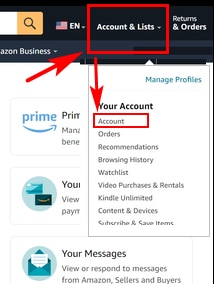
If you’re an Amazon Prime customer, you should check to make sure you’re not getting charged for subscriptions you didn’t sign up for. Sometimes this happens because you get a free trial and forget to cancel. Sometimes this happens because Amazon offers free trials that you don’t know you need to cancel. Yep. You heard that right. Here’s what you need to do.
  1. Log into your account.
  2. From the ACCOUNT & LISTS menu, select ACCOUNT
  3. Scroll all the way down
Read More

2024 Rate Your Dog Food: Does Your Brand Get an A or an F?

Updated for 2024: illustration of various dog foodsIs your dog food cutting the mustard?

We all want to make sure our dogs are getting healthy, safe foods. (To keep abreast of the latest pet food recalls, go to DogFoodAdviser.com. You can even sign up for alerts.) It can be hard to sift through all the advertising and positioning. Should we go with Dry? Wet? Raw? Freeze-dried? Some combo? Too many options!

I offer the following lists, chart and quiz to help you sort … Read More

How to Fix Google Chrome “Continue where you left off” Tabs Not Working

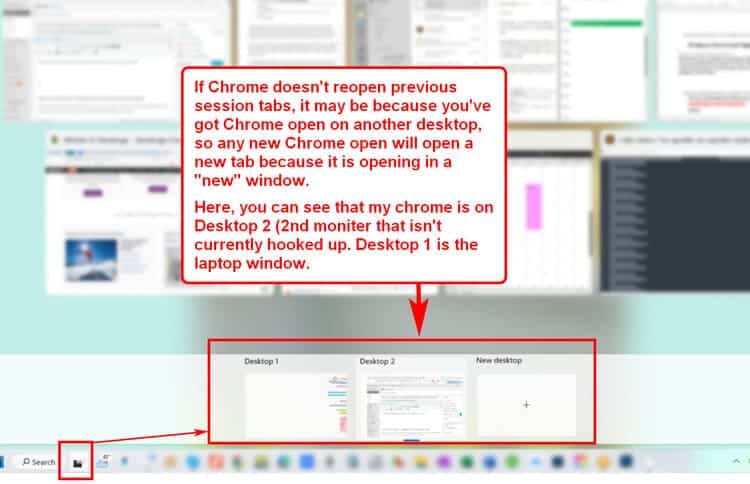
Does Google Chrome “Continue where you left off” not continue where you left off? Have you tried every solution out there, including uninstalling and reinstalling Chrome? And still, when you open Chrome your previous session tabs don’t open?

This might be your problem.

screenshot of desktop

Here are the common answers you’ll get with a search for why your previous Chrome tabs aren’t opening. And they’re the first attempts most people make. But don’t start here. Scroll down to find the simple solution

Read More

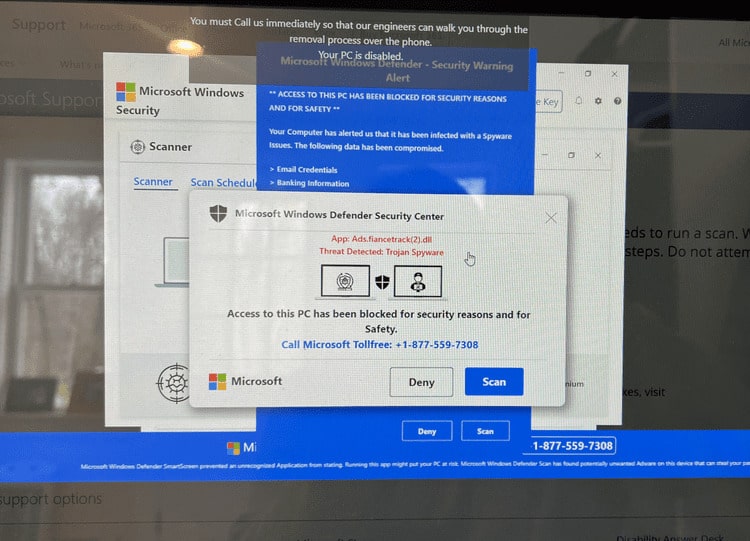
“Access to this PC has been blocked for security reasons” — DO NOT CLICK ON IT OR CALL THE #

If this happens to you—your entire computer screen is taken over with these “windows” while blaring a message to call the number—DO NOT, I repeat, DO NOT click anywhere on the screen or call the number.

scam information

Here’s the fix.

For PCs:

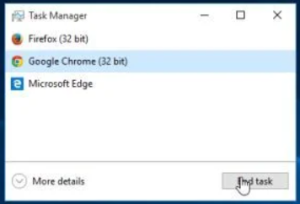
  1. task manager windowOpen the “Task Manager” by pressing Ctrl + Shift + Esc.
  2. Find your web browser’s icon (in this case, Google Chrome) and click to highlight. Then click on the End Task button.
  3. Your browser window (along with this
Read More

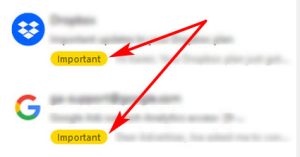
How to Disable and Remove Important Labels in Gmail

Depending on the email client you use, you may see every and I do mean ev-er-y single email marked with a bright yellow IMPORTANT  label. It’s maddening to keep unchecking them to only have the next email reappear as important. Again.

Here’s the only fix that works to stop Gmail from marking all emails as important.

If you don’t want emails getting marked as important, go to mail settings > inbox  – disable Importance markers, and then set up a … Read More

Scroll to Top